 SALE50% OFF
Open PSD files
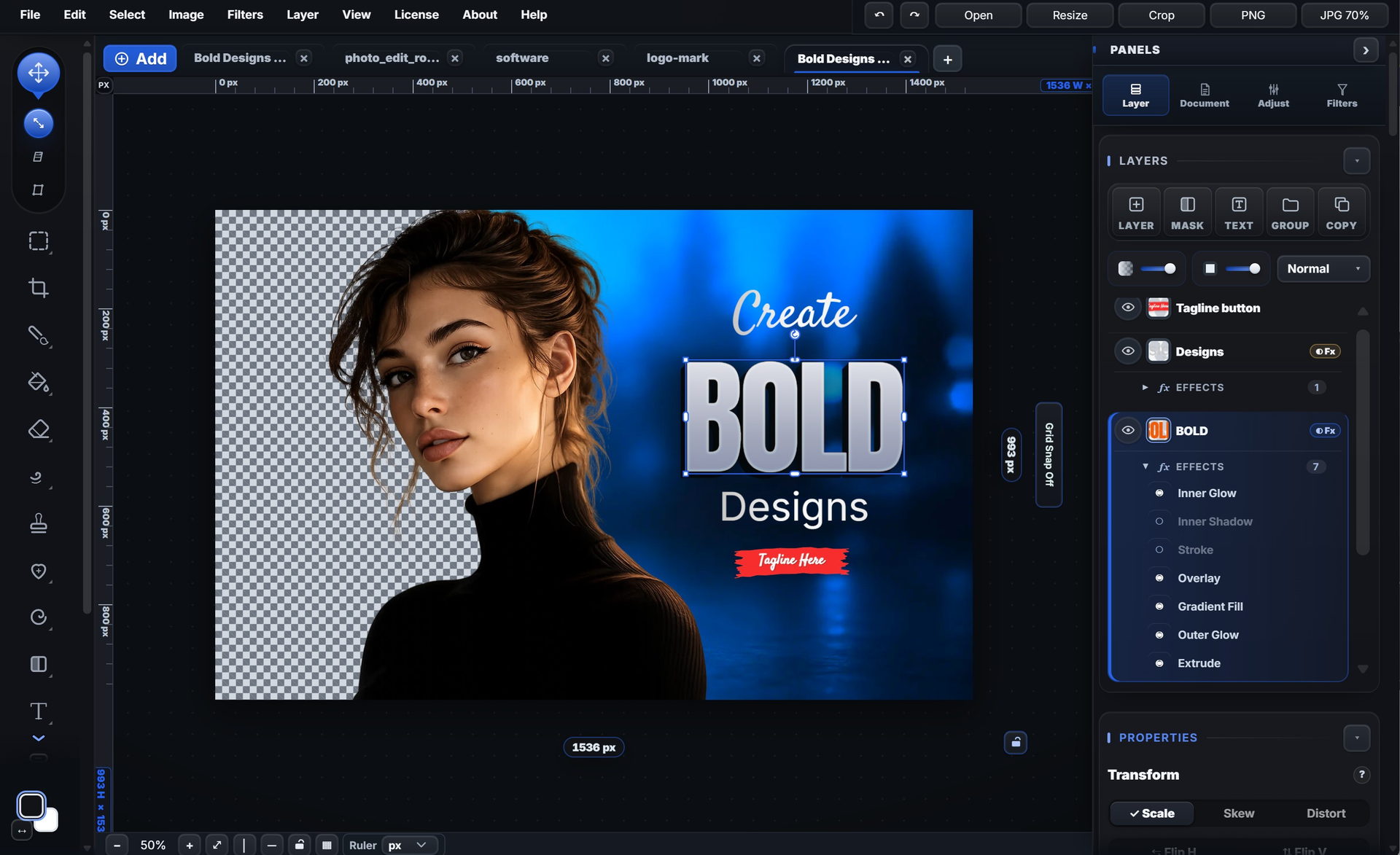
Keep layers, groups, masks and readable text.
Where PhotoEditR fits for layers, masks, type and graphics.
See the difference
Keep layers, groups, masks and readable text.
Groups, opacity, masks and 37 blend modes.
Paint black to hide, white to show.
Changes on their own layer, with a mask.
Stack stroke, glow, extrude and shadows.
Reopen your layers where you left them.
Saved in your browser; restore after a crash.
Install as an app; opens offline.
Feature by feature
| Feature | PhotoEditR | Subscription pro editor | Browser template tool |
|---|---|---|---|
| Typical price | Free for personal use | Monthly subscription | Free tier, paid plans monthly |
| Real layers & blend modes | ✓ | ✓ | Limited |
| Layer masks | ✓ vector + paint | ✓ | Limited |
| PSD import | ✓ import* | ✓ native | Partial |
| Pen / Bezier tool | ✓ | ✓ | Basic shapes |
| Typography effects | ✓ grad, outline, path | ✓ | Limited |
| Works offline | ✓ | Limited | ✗ |
| Your files stay local | ✓ | Vendor cloud sync | Cloud-based |
| Runs in browser | Modern browsers + installable PWA | Mainly desktop apps | Web / mobile |
| Bonus templates | 148 layered templates | Varies by tool | ✓ large library |
| Learning curve | Moderate | Steep | Easy but limited |
| Subscription required | No | Yes | For paid plans |
* PSD import — four ways: rasterized, Ultra Match (layers kept, checked against the file’s composite), editable layers or flattened.
Also worth considering
| Feature | PhotoEditR | Premium desktop editor | Open-source desktop editor |
|---|---|---|---|
| Price | Free for personal use | Varies by product | Free |
| Runs in browser | ✓ | ✗ | ✗ |
| PSD import | ✓ import* | ✓ excellent | Partial |
| Bonus templates | 148 layered templates | Marketplace | ✗ |
No monthly fee. Free for personal use.
Layers, masks and PSD import, with files kept on your device.
Nothing to install, and your files stay on your device.
Layers, masks and type tools for photo and layout work.
Layers, templates and PSD import, free for personal use.
Who it's for
PhotoEditR is right for you if…
You make thumbnails, social, brand graphics and product shots, and want real layers and no monthly bill.
Consider a subscription pro editor if…
You need the deepest RAW processing, 3D/video, or your team shares a subscription suite.
Consider a browser template tool if…
You mostly swap copy on premade templates and post straight to social.
Consider a premium desktop editor if…
You want the deepest PSD fidelity in a one-time-purchase desktop app.
The editor, free online — no sign-up, no watermark.
photoeditr.com — live editor Open full editor →